
Your rules. Your brand. Your onboarding.
Choose accepted documents, configure review rules and shape the applicant experience with your own logo and brand colours.

Verification policy
- Expired document
- Review
- Accepted documents
- Passport, identity card
- Automatic decisions
- Off
Decide what happens when a check raises a finding.
Set smart rules that approve, decline or send a verification to manual review, and assign the review to the right person. Keep every decision aligned with your policy.
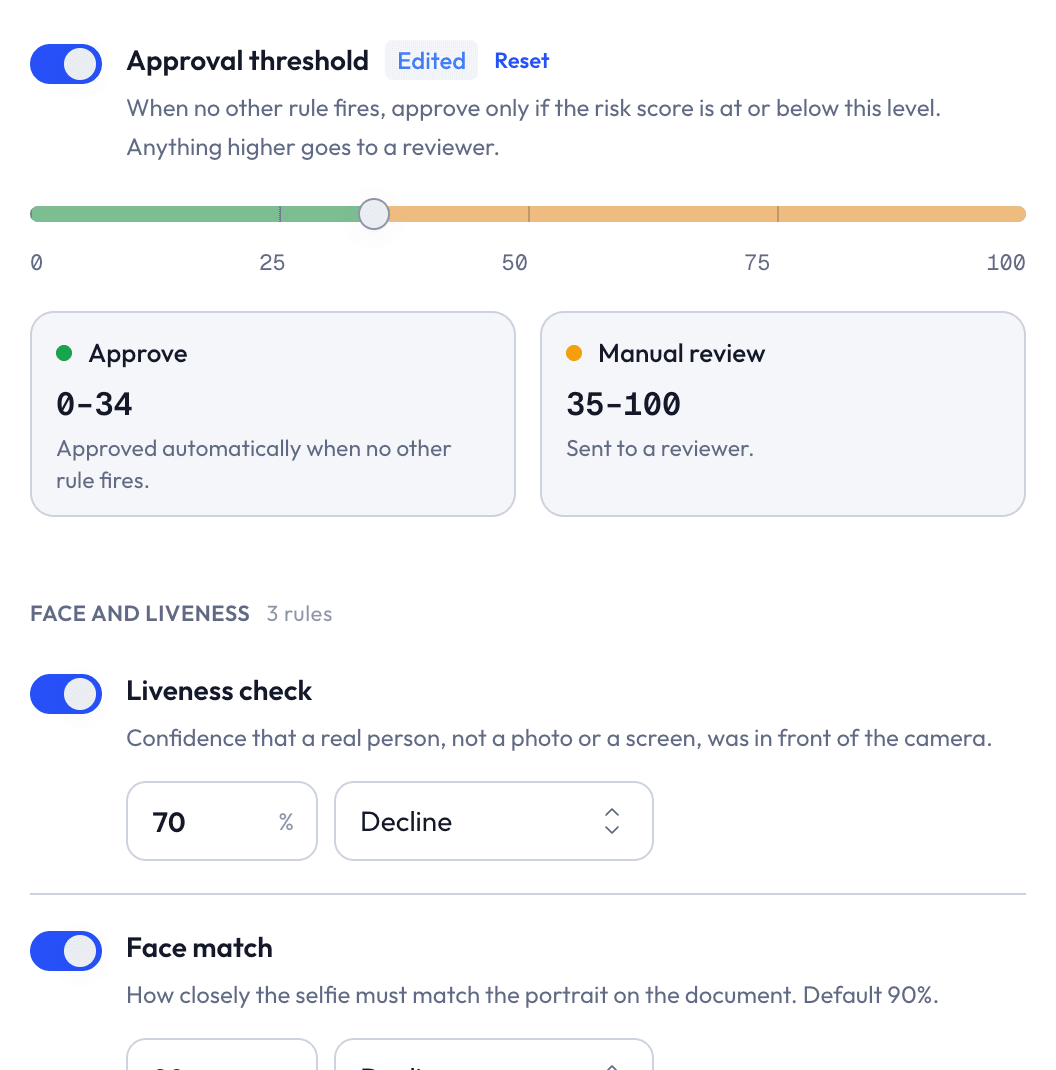
Choose the response
Send a supported finding for review or decline.
Adjust thresholds
Tune the checks that expose configurable thresholds.
Select accepted documents
Set country and document policies for your applicants.
Your brand.
Their first impression.
Bring your logo and brand colours into the applicant journey, so verification feels like part of your business.

Verify your identity
Get your document ready to begin.
- Prepare your document
- Complete the face check
- Submit for verification
Your branded experience
Branding
- Organization logo
- Your logo
- Brand color
- Your primary color
- Applicant journey
- Consistent with your brand
Control with guardrails.
Review or decline
Set supported rule actions for findings that need attention.
Keep essential checks
Mandatory safeguards remain in place when policies change.
Decisions under control
Configure automatic decisions and second-review requirements.
Make it yours.
Configure accepted document types, country policies, supported rule actions, thresholds and applicant branding. These controls let you shape both the applicant journey and the way findings enter review, using settings designed for verification rather than a separate workflow-building tool.

Fit verification to your business.
Walk through your rules, markets and applicant experience.
Book a demo